AERONET Instrument Troubleshooting Interface - Solutions for ROBOT PROXIMITY SWITCH ERRORS Flag
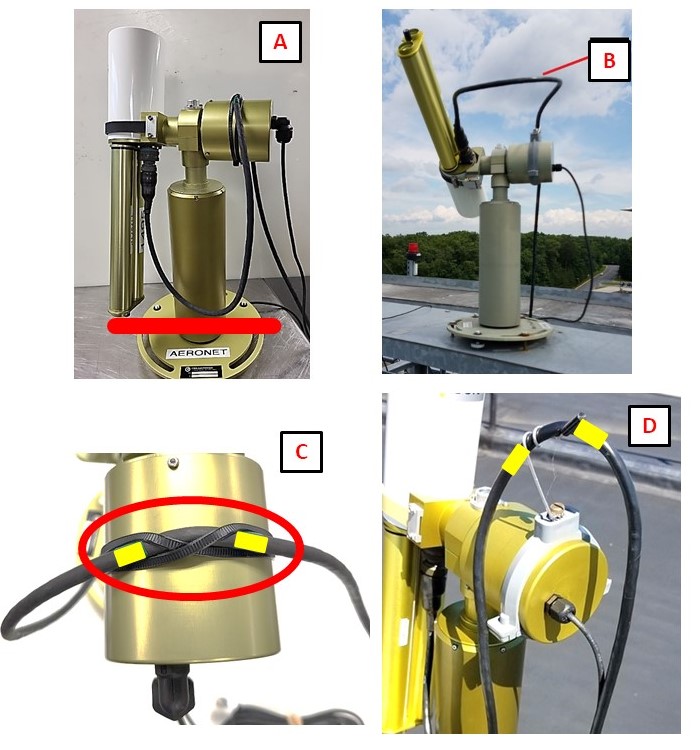
Description The robot uses proximity switches on both the azimuth and zenith axes to establish a reference home position (the PARK position) each time it initializes. If the switch engagement angle (SAE) falls outside the expected range, it means the robot did not find its reference position cleanly, which can accumulate pointing errors over time. This may be caused by physical obstructions such as cable binding, or mechanical wear on the drive belt or motor axis.
Condition(s) Flag if >35; or >10 any day during week
How To Check/Test Model 4 and 5: n/a Model T: SCENARIOS > run PARK
Solution Level 1 (< 5 minutes) 1. Check for cable binding or pulling as the instrument moves. 2. Ensure that adequate 12V power is being supplied to the instrument. 3. Check/reseat the connector panel and the AZ, ZN, and power connections.
Solution Level 2 (more involved) 1. Look for abnormal movements or sounds when running PARK. After PARK the instrument should point to nadir and the robot claw should be level.